
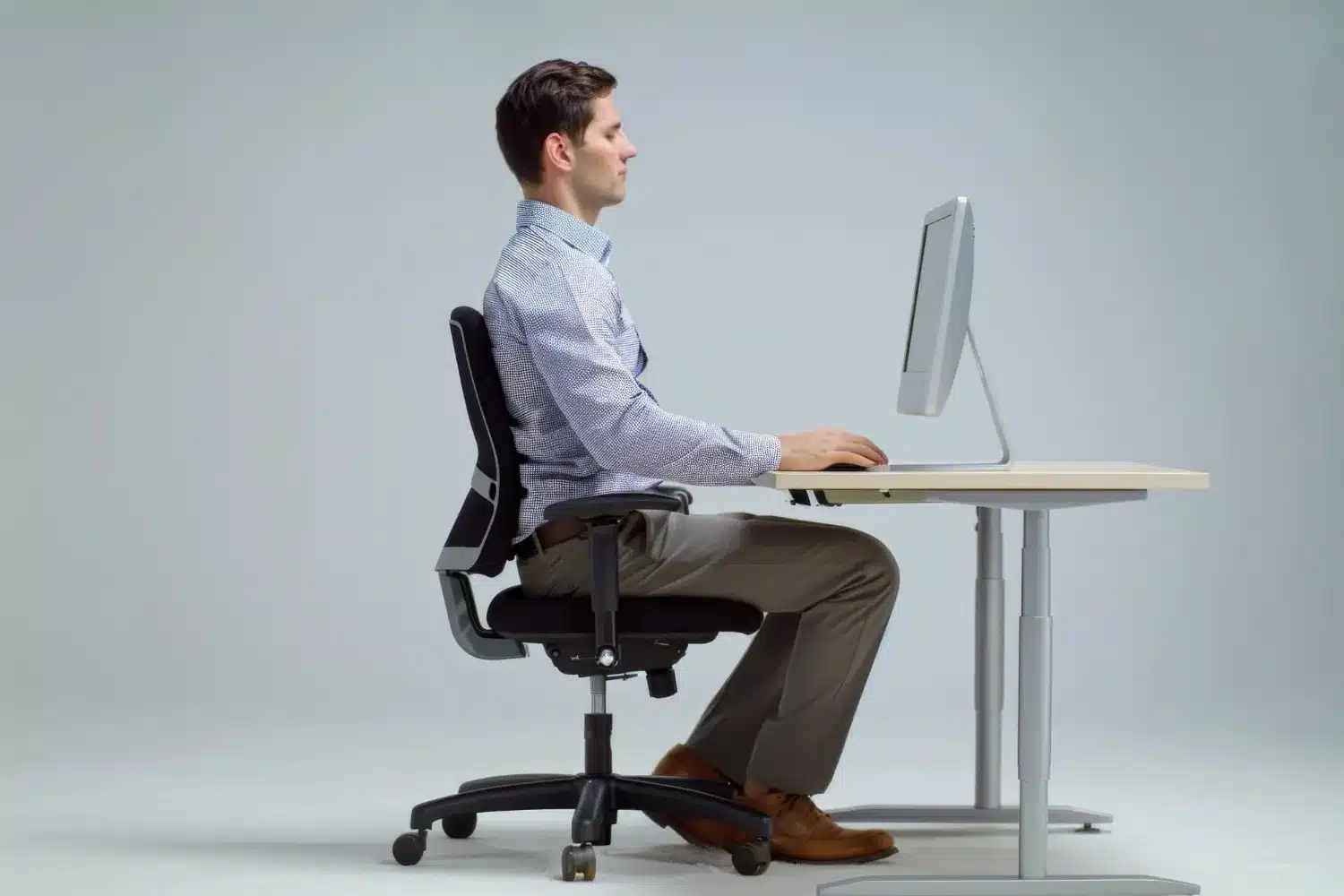
Have you ever stood up after sitting at a desk most of the day with a stiff neck, tight shoulders, or back pain? It's a familiar experience for many in modern office and remote work environments. Sitting for long periods of time and using workstations incorrectly can gradually put extra strain on the body. Many people still struggle with neck and back pain even after purchasing a good ergonomic chair. It's not just about having a good chair; it's also about setting it up correctly. The height of the chair, the position of your desk, the height of your monitor, and your sitting posture all affect your posture and comfort.
In this guide, you'll learn exactly how to set up your office chair and workstation to support better posture, improve comfort, and reduce unnecessary strain throughout the day.
What Is the Best Office Chair Setup for Posture?
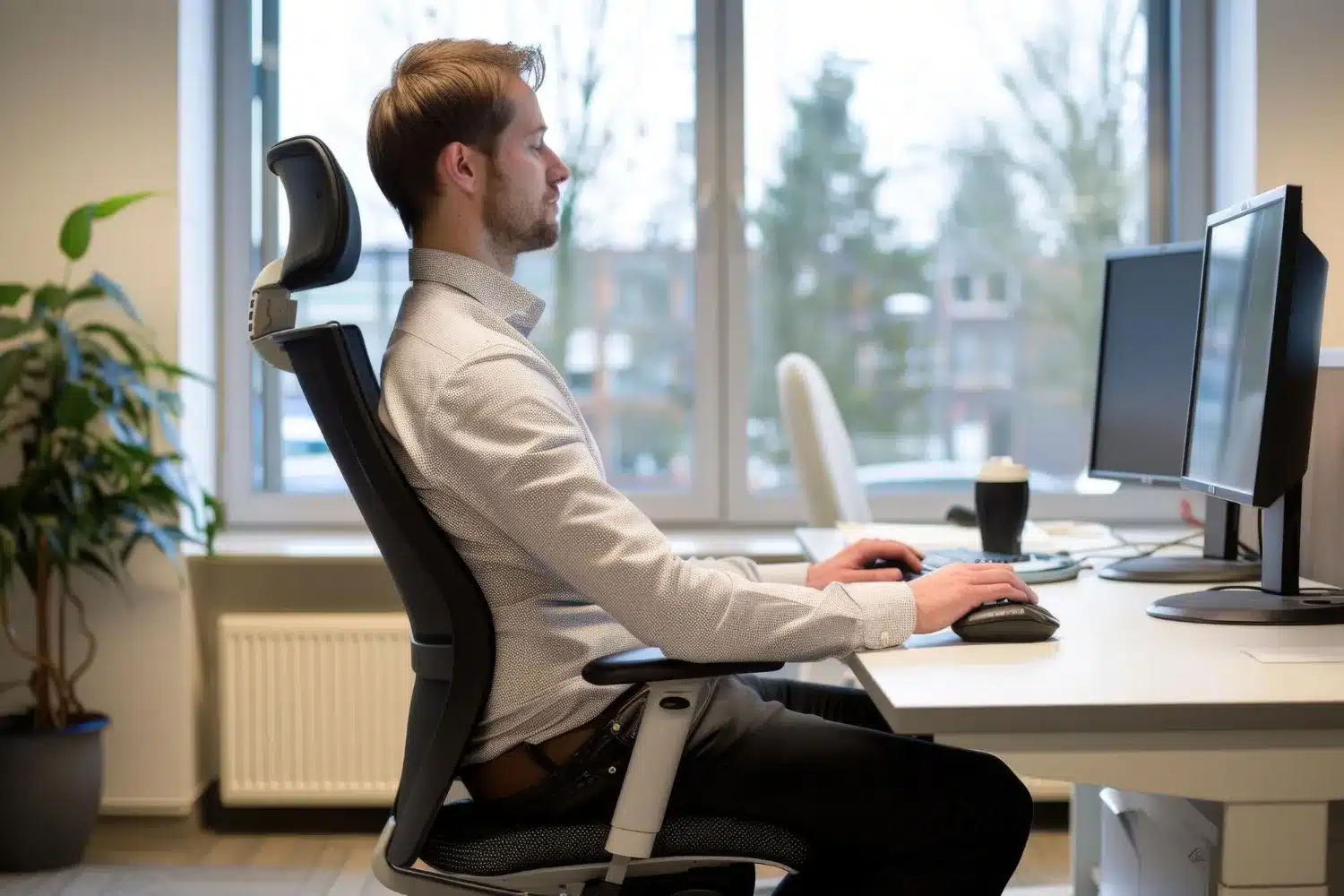
To maintain good posture, the office chair setup should be such that the feet are flat on the floor, the knees are at about 90–100°, and the hips are at or slightly above the knees. There should be adequate lower back support, the monitor should be at eye level, and the elbows should be at approximately 90 °. Keeping your shoulders relaxed and getting up and moving regularly are also important parts of a proper workstation setup.

Why Proper Office Chair Setup Matters?
Sitting for long periods incorrectly can gradually lead to poor posture. This can cause some muscles to become overworked and others to become weak. Over time, this can put extra stress on the joints of the neck, shoulders, back, and hips.
Poor sitting habits can lead to neck and back pain, headaches, shoulder tension, a stiff neck, and feeling tired all day. The right chair and workstation setup help keep your body in a more natural position so that you can stay relatively comfortable even after long hours of work.
What Makes a Good Ergonomic Office Chair?
Not all office chairs help maintain healthy posture. Even if a chair looks comfortable, if it lacks the necessary adjustment facilities, it can put unnecessary strain on the body when used in a sitting position for long periods. So when choosing an ergonomic chair, it's important to look not only at the design or cushion, but also at its functional features.
Essential Features of an Ergonomic Chair
- Adjustable seat height: To keep the feet flat on the floor.
- Adjustable seat depth: To maintain proper thigh support and avoid excess pressure on the back of the knee.
- Lumbar support: To support the natural curve of the lower back.
- Recline mechanism: To change posture occasionally and reduce back pressure.
- Adjustable armrests: To reduce unnecessary tension in the shoulders and arms.
- Stable base: Ensures a safe, stable seating experience.
As an additional benefit, the following features may also be useful:
- Headrest: Provides extra neck support.
- Breathable fabric: To maintain a comfortable feeling even after sitting for long periods of time.
- Dynamic movement features: To reduce the effects of sitting in one position for a long time by allowing the body to move slightly.
Step 1: Adjust the Seat Height Correctly
The first step to good sitting posture is to set your chair to the correct height. Keep your feet flat on the floor when sitting so your body can distribute your weight evenly. If the knees are at or slightly below the hips, there is less pressure on the back and waist. At the same time, the seat should fully support your thighs while avoiding excessive pressure on the backs of your knees.
- Feet supported
- Knees comfortable
- No pressure behind the knees
Step 2: Adjust the Seat Depth
When sitting in a chair, lean back as far as possible so that the backrest supports your back well. Then adjust the seat so there is about 2-3 fingers' space between the backs of your knees and the front of the seat. This evenly supports your thighs and reduces the risk of restricting blood circulation.
Step 3: Position Lumbar Support
Lumbar support needs to be in the right place to support the natural spinal curve of your lower back. A good ergonomic chair usually provides this benefit. Set the support so that it lightly supports the lower back and reduces the tendency to lean forward or hunch over.
Step 4: Adjust Armrests Properly
Set the armrest at a height that keeps your elbows at about 90° and allows your arms to rest naturally. The right armrest supports your forearms and helps keep your shoulders relaxed. This reduces unnecessary strain on your body when working for long periods.
Step 5: Set the Backrest Angle
Many people think that sitting up straight is best, but in reality, a slightly reclined position is often more comfortable. Generally, it is best to keep the backrest angle between 90 ° and 110°. This position helps reduce pressure on the back and makes sitting for long periods more comfortable.
Step 6: Match Chair Height With Desk Height
If you set the desk too high, you may unconsciously lift your shoulders while using the keyboard or mouse. This can cause shoulder tension and neck strain. On the other hand, if the desk is too low, you may lean forward, which can lead to slouching and increased stress on your back.
Ideally, your elbows should be close to your body and at about a 90° angle while working. Your wrists should also be in as natural and comfortable a position as possible.
|
Problem |
Possible Cause |
|
Shoulder tension |
Desk too high |
|
Slouching |
Desk too low |
|
Wrist strain |
Incorrect desk height |
Proper adjustment of the chair and desk helps keep the body in a more natural position and can reduce unnecessary strain during long work periods.

Monitor Setup for Better Posture
Position your monitor correctly to help prevent poor posture and reduce unnecessary strain on your neck and shoulders. In general, the top of the monitor should be at eye level or slightly below. This keeps the head in a normal position and prevents the need to repeatedly look down.
Also, it is best to keep the monitor at arm's length. Keeping it too close or too far away can put extra pressure on the eyes and the neck. Proper monitor setup reduces neck flexion and helps maintain comfort during long work hours.
Keyboard and Mouse Positioning
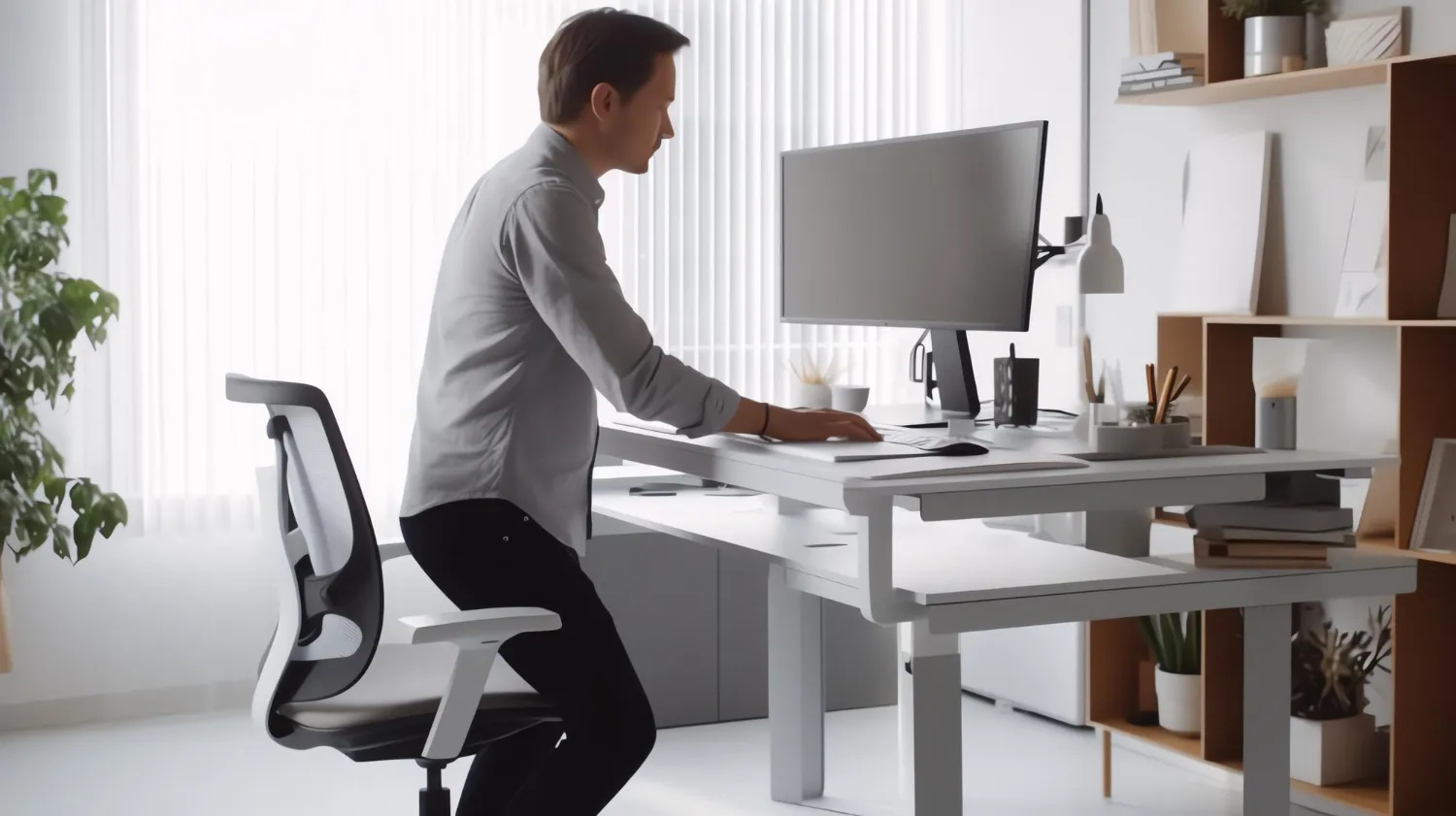
Place your keyboard and mouse where you can reach them comfortably without repeatedly leaning forward or stretching your arms. Having them within your close reach zone reduces unnecessary stress on your shoulders, arms, and wrists. Keep your wrists in a neutral position while typing, avoiding excessive bending up or down. At the same time, try to keep your elbows close to your body.
Common Office Chair Setup Mistakes
Sitting Too High
If the chair is too high, it can be difficult to keep your feet flat on the floor. This can put uneven pressure on your thighs and distribute your body weight unevenly across the seat. Sitting for long periods can lead to discomfort.
Sitting Too Low
If the chair is too low, the knees will be too high, and the body will tend to lean forward. This can put extra pressure on the waist and back, leading to poor posture.
Ignoring Lumbar Support
Many people do not use lumbar support or use it incorrectly. This does not adequately support the natural curve of the lower back. Over time, this can lead to slouching and discomfort in the lower back.
Leaning Forward All Day
Sitting hunched over a monitor all day puts extra strain on the muscles in your neck, shoulders, and upper back. This habit can gradually lead to neck tension, stiff shoulders, and discomfort.
Wrong Monitor Height
If the monitor is too low or too high, you have to raise or lower your head repeatedly. This alters the normal position of your neck and can strain your neck and shoulders after long periods of work.
Never Re-adjusting Your Chair
Many people never change their chair once they set it up, but making small adjustments based on work style, body position, and time of day can help maintain comfort and posture.
Posture Habits That Matter More Than Your Chair
Many people think that buying a good ergonomic chair will solve all their posture problems. In reality, it's not that simple. No matter how well your chair and workstation are set up, sitting in the same position for 8 hours straight can strain your body. The human body did not evolve to sit still for long periods. Lack of movement can lead to stiff muscles, less active joints, and discomfort in the neck, shoulders, or back. So not only is proper setup important, but daily habits are equally important.
Try to maintain good posture:
- Stand up every 30–60 minutes
- Walk for a few minutes
- To do light stretching
- To change sitting position occasionally
- Stand up and talk during phone calls if possible.
When Chair Adjustments Are Not Enough
Sometimes, even after adjusting your office chair and workstation, neck, shoulder, or back discomfort doesn't completely go away. The cause isn't always your sitting posture or furniture. In some cases, the problem may be due to muscle imbalances, posture dysfunction, joint restrictions, or long-term repetitive strain. If persistent discomfort, stiffness or pain is affecting your daily activities, a more in-depth assessment may be necessary. A physiotherapist can assess your movement, posture and body function to help identify the root cause of the problem and find appropriate solutions.
Still Experiencing Neck or Back Pain While Working?
A well-adjusted office chair can help increase comfort in many ways. Still, you cannot solve all posture-related problems simply by adjusting the chair.
If you regularly experience:
- Neck tension or stiffness
- Shoulder pain or discomfort
- Discomfort in the middle of the back
- Back stiffness or pain
Then there may be another cause behind the problem. At Rugby, we can help you assess your symptoms, identify possible causes of the problem and create a personalised treatment plan tailored to your needs.